TABLE OF CONTENTS
Preamble
Timetabling data that exists in the Timetable files is usually sent on to one or more other non-Tes systems, such as student learning management systems, reporting systems, administration systems, and many more. The Tes integration team works with other systems to make sure that the data required to be sent is in the correct format.
This document can be referenced for:
- New school file set up
- Synchronisation processes
- Synchronisation troubleshooting
While Tes takes all care to ensure any mention of the other system is correct and up to date, it is the user's responsibility to check with the other system prior to an initial sync. If the user becomes aware of any changes to the other system, we would very much appreciate this feedback.
Synchronisation Set up
Add MyEDiary (DD) as a sync system
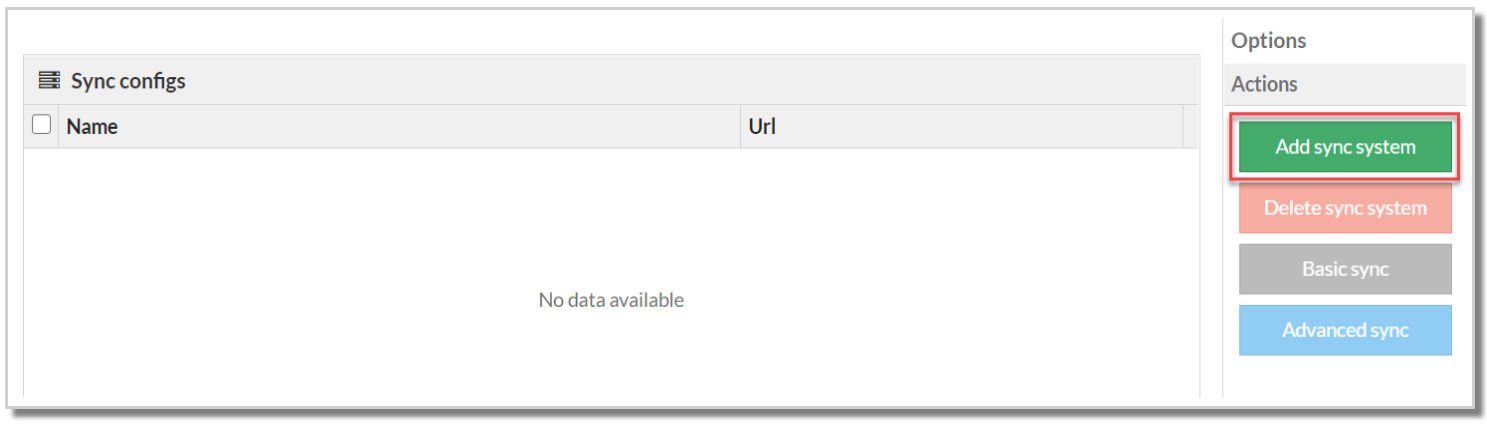
- Go to Daily > Synchronise
- Choose 'Add sync system
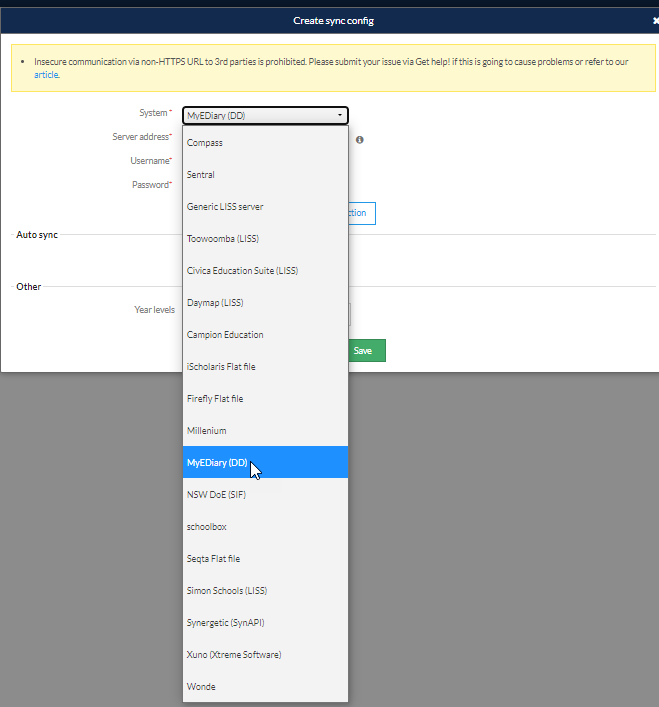
- Choose 'MyEDiary (DD)' from the dropdown menu in the 'System' field.
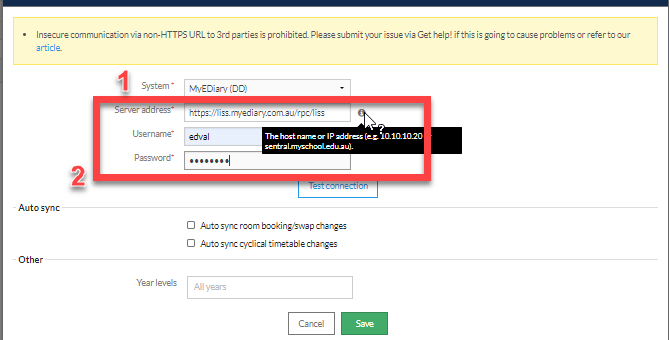
Note the following with each input field within the sync configuration:
- Ensure the system selected is MyEDiary(DD)
- The format of the server address for MyEDiary(DD) is https://liss.myediary.com.au/rpc/liss. Please ensure your server address follows this format.
- In the other option, Year levels can be entered. Data for the selected years only will be synced to the configured MyEDiary(DD) server address.
The Server address, username, password and school code are all supplied by MyEDiary(DD). Please contact MyEDiary(DD) if you are unsure what should be entered into any of these fields.Once the correct data has been entered, you may 'Test connection' to verify whether MyEDiary(DD) accepts the configuration settings. If the settings are accepted, then you may select the 'Save' option to save these settings. If the settings are not accepted, you will need to contact MyEDiary(DD) to confirm whether your MyEDiary(DD)-specific settings are correct, or you may lodge a ticket to determine why the settings have not been accepted.
Was this article helpful?
That’s Great!
Thank you for your feedback
Sorry! We couldn't be helpful
Thank you for your feedback
Feedback sent
We appreciate your effort and will try to fix the article